Disclosure: Informational only. We are not FMCSA or USDOT. Always verify your status directly through official FMCSA systems.
A clean, well-organized compliance document hub is one of the simplest ways to stay audit-ready and avoid stress during roadside inspections or FMCSA reviews. Whether you’re an owner-operator or managing a growing fleet, knowing exactly which DOT documents to keep, and where, can save time, money, and penalties.
This guide explains what to store in your trucking compliance document hub, how to organize it by folders, and best practices for keeping proof ready.
Why a Compliance Document Hub Matters
FMCSA audits and safety reviews don’t reward effort, they reward proof.
If you can’t quickly produce confirmation PDFs, records, or policies, it’s treated as missing, even if the work was done.
A centralized DOT compliance document hub helps you:
- Respond faster to audits and roadside checks
- Avoid duplicate filings and rework
- Maintain accurate historical records
- Prove compliance with confidence
Must-Keep Documents (Organize by Folders)
Your document hub should be simple, logical, and consistent. Below is a recommended folder structure.
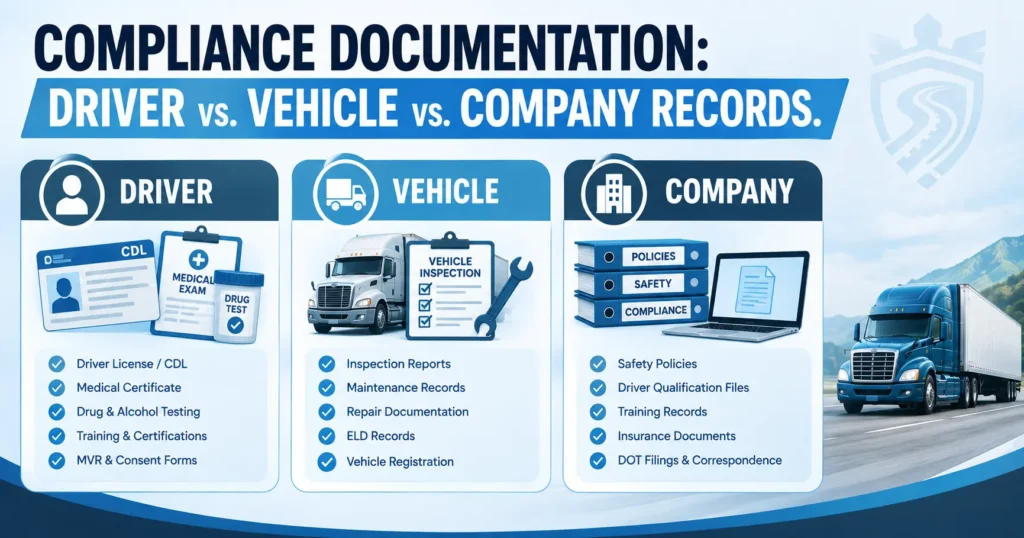
📁 Company & Authority Documents
These prove your operating authority and registrations.
Keep copies of:
- MCS-150 confirmation (biennial update proof)
Source: FMCSA Registration Update / MCS-150 - BOC-3 confirmation (process agent filing)
Source: FMCSA BOC-3 information - UCR receipt (annual Unified Carrier Registration)
Source: UCR.gov
Tip: Always save the confirmation PDF, not just screenshots.
📁 Driver Files
Every CDL driver must have a complete Driver Qualification File (DQF).
Include:
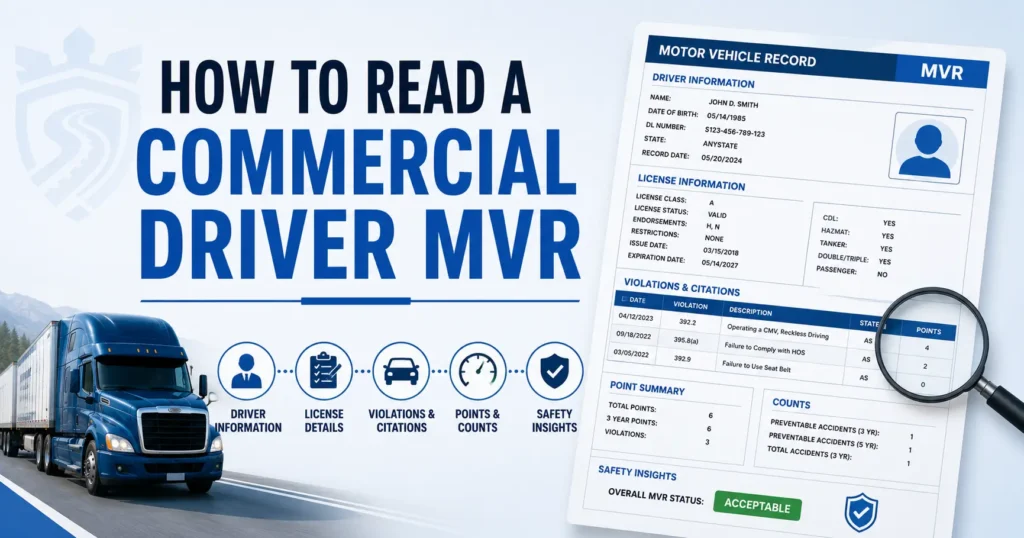
- Full DQF per 49 CFR 391.51
(application, MVRs, medical card, prior employer checks, road test) - Clearinghouse consents & query results
(pre-employment and annual queries per 49 CFR 382.701)
Keep driver folders separate and clearly labeled by name or driver ID.
📁 Vehicle Files
These documents show that your equipment is safe and maintained.
Store:
- Annual and periodic inspections
- Maintenance and repair records
- DVIRs (Driver Vehicle Inspection Reports)
Each vehicle should have its own subfolder.
📁 Safety & Incident Records
These files are often requested during audits and investigations.
Include:
- Accident register
- Insurance certificates and proofs
- Corrective action documentation (if applicable)
Helpful Official Resources & Templates
Use official FMCSA materials as your foundation.
Recommended resources:
- FMCSA Safety Planner & Forms Library
- Internal policies (HOS, Drug & Alcohol, accident procedures)
📌 Always include version dates on policies so auditors can see updates over time.
Best Practices for a Clean Document Hub
Small habits make a big difference during audits.
- Save PDF confirmations for every filing
- Use consistent file names:
YYYY-MM-DD_description.pdf - Keep documents in one central location
- Set reminders for:
- Expirations (CDLs, medical cards, inspections)
- Annual tasks (UCR, Clearinghouse queries, reviews)
How SafeRoad’s Document Hub Helps
SafeRoad removes the guesswork from document organization.
With SafeRoad, you get:
- A ready-made folder structure
- Secure storage for confirmations and receipts
- Automated reminders for expirations and renewals
- Easy access during audits, no digging, no panic
👉 Want a ready-made structure with reminders?
SafeRoad’s document hub does it for you.
Book a Demo »
Frequently Asked Questions (FAQs)
A DOT compliance document hub is a centralized system where carriers store required FMCSA records, confirmations, policies, and proofs for audits and inspections.
Owner-operators should keep MCS-150 confirmations, BOC-3 filings, UCR receipts, driver medical cards, Clearinghouse queries, vehicle inspections, and insurance proofs.
Retention periods vary by document type, but many records should be kept for at least 3 years. Always follow FMCSA regulations for specific requirements.
Confirmation PDFs prove that filings were completed successfully. Without them, carriers may struggle to defend compliance during audits.
Yes. A secure digital compliance portal is acceptable and often preferred, as long as documents are accessible, complete, and properly organized.