A 34-hour restart looks simple on paper: stop working for 34 hours and your weekly clock goes back to zero. Most restart problems come from one short on-duty entry in the middle that quietly cancels the whole thing.
Disclosure: Informational only. We are not FMCSA or USDOT. Always verify your status directly through official FMCSA systems.
What Is the 34-Hour Restart Rule?
The 34-hour restart lets a property-carrying driver reset the 60-hour/7-day or 70-hour/8-day limit to zero by taking 34 or more consecutive hours off duty. It is optional. The old requirements to include two 1 a.m. to 5 a.m. periods and to use the restart only once every 168 hours are no longer in effect. FMCSA removed them in a September 2019 final rule. Any on-duty or driving time during the 34 hours breaks the restart, and the count starts over.
This guide covers only the restart: what it resets, the exact conditions, worked examples with log entries, and the log errors that show up in audits. For the full set of hours of service rules, start with our HOS guide.
What Does the 34-Hour Restart Do?
The restart ends your current 7-day or 8-day period and starts a new one with a full weekly allowance. Without it, the weekly limit is a rolling total: each day, the oldest day drops off and the newest day is added.
The 60-hour/7-day and 70-hour/8-day limits
FMCSA’s Safety Planner sets the weekly limit by how your carrier operates:
60-Hour vs. 70-Hour HOS Limits
Weekly on-duty limits depend on how many days the motor carrier operates.
| Carrier Schedule | Weekly Limit | Look-Back Period |
|---|---|---|
| Does not operate CMVs every day of the week | 60 hours on duty |
7 consecutive days |
| Operates CMVs every day of the week | 70 hours on duty |
8 consecutive days |
On-duty time includes driving and on-duty not-driving work such as loading, fueling, inspections, and paperwork. Once you reach the limit, you cannot drive again until enough old hours roll off or you complete a restart. For the full math, see our 60/70-hour rule guide.
What the restart does not change
The restart does not change the 11-hour limit, the 14-hour rule, or the 30-minute break after 8 hours of driving. Because 34 hours off is longer than 10 hours off, you also start a fresh 14-hour window when you come back on duty. Every daily limit still applies from that point.
What Are the Current Restart Requirements?
Under 49 CFR 395.3(c), a property-carrying driver may end a 7-day or 8-day period by taking an off-duty period of 34 or more consecutive hours. In practice, a valid restart today has four conditions:
- 34 hours or more. Count from the moment you go off duty to the moment you next go on duty.
- Consecutive. The period cannot be interrupted by on-duty or driving time.
- Logged accurately. The time must appear on your record of duty status as off duty, and your supporting records must match.
- Optional. You do not have to take a restart. You can also manage the weekly limit by letting hours roll off.
Is the 1 a.m. to 5 a.m. restart rule still in effect?
No. A December 2011 rule required every restart to include two periods from 1 a.m. to 5 a.m. and allowed only one restart every 168 hours. Congress suspended both provisions through appropriations acts pending a restart study. FMCSA reports the study found no statistically significant safety benefit, and under the 2017 appropriations act the provisions became void. FMCSA removed them from the regulation in a final rule published and effective September 12, 2019.
That means you can start a restart at any hour and take more than one restart in a week. If your ELD, dispatch software, or training material still checks for the 1 a.m. to 5 a.m. window, update it.
Worked Examples: Restart Math With Log Entries
Each example uses a driver on the 70-hour/8-day schedule. Times are in the driver’s home terminal time zone, which is how the log is kept.
Example 1: A valid restart
Example: 34-Hour Restart Period
Follow the driver’s uninterrupted off-duty time from Friday evening through Sunday morning.
| Log Entry | Status | Running Off-Duty Time |
|---|---|---|
| Friday 6:00 p.m. |
Off duty begins | 0 hours |
| Saturday 6:00 p.m. |
Off duty continues | 24 hours |
| Sunday 4:00 a.m. |
On duty (pre-trip inspection) | 34 hours |
Result: 34 consecutive hours off duty. The restart is valid. The driver starts a new 8-day period with 70 hours available and a fresh 14-hour window at 4:00 a.m. Sunday.
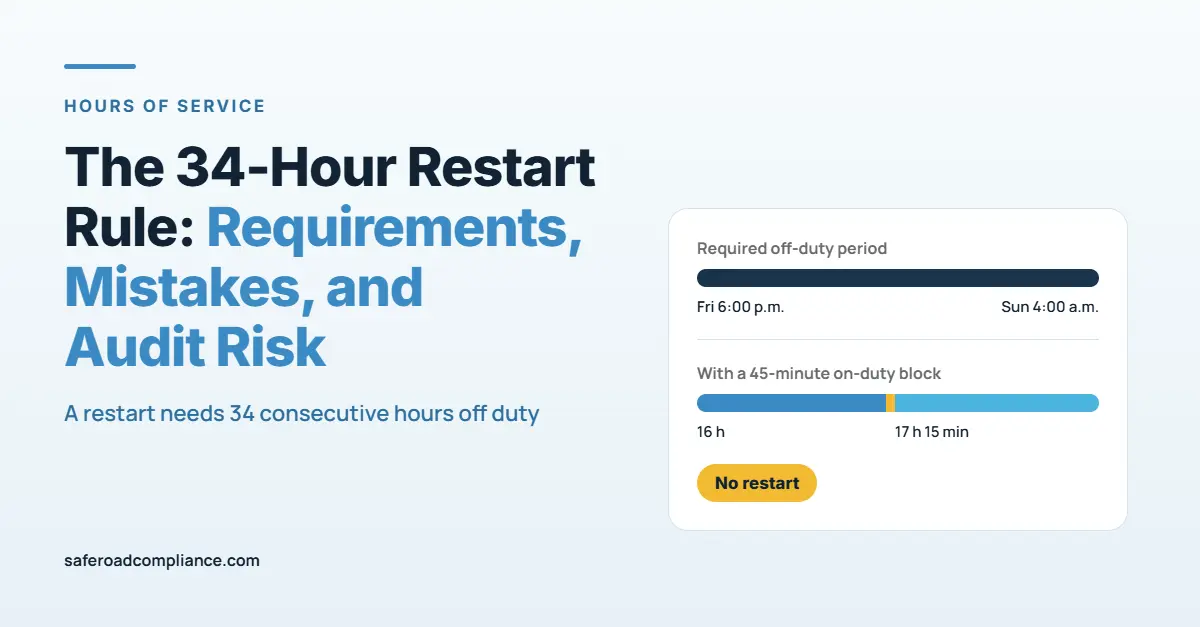
Example 2: A short yard move breaks the restart
Example: Interrupted Off-Duty Period
See how an on-duty activity breaks the consecutive off-duty period.
| Log Entry | Status | Length of Segment |
|---|---|---|
| Friday 6:00 p.m. to Saturday 10:00 a.m. | Off duty | 16 hours |
| Saturday 10:00 a.m. to 10:45 a.m. | On duty (moved trailer, signed paperwork) | 45 minutes |
| Saturday 10:45 a.m. to Sunday 4:00 a.m. | Off duty | 17 hours 15 minutes |
Result: No restart. Neither off-duty segment reaches 34 hours. The driver’s previous days still count toward the 70-hour limit, plus the 45 minutes logged Saturday. To restart, the driver needs 34 consecutive hours off counted from 10:45 a.m. Saturday, which means staying off duty until at least 8:45 p.m. Sunday.
Example 3: Short by 30 minutes
Example: 34-Hour Restart Falls Short
A driver returns to on-duty status before completing the required restart period.
| Log Entry | Status | Running Off-Duty Time |
|---|---|---|
| Friday 6:00 p.m. |
Off duty begins | 0 hours |
| Sunday 3:30 a.m. |
On duty | 33 hrs 30 min |
Restart requirement not met
The driver completed 33 hours and 30 minutes of consecutive off-duty time, which is 30 minutes short of the 34-hour requirement. This period does not qualify as a 34-hour restart.
Result: No restart. There is no rounding. If the driver had 66 hours in the last 8 days, only 4 hours remain, and a 10-hour Sunday shift would exceed the limit.
Example 4: Rolling hours without a restart
A driver logs 10, 9, 10, 9, 10, 9, and 8 on-duty hours over 7 days, for 65 hours. On day 8, 5 hours remain under the 70-hour limit. On day 9, the first day’s 10 hours drop off, so the driver regains time without a restart. The restart is a choice, not the only way back to available hours.
Which Restart Log Mistakes Show Up in Audits?
In a compliance investigation or roadside inspection, the question is simple: does the record prove 34 consecutive hours off duty? These are the errors that most often answer no.
Common 34-Hour Restart Log Mistakes
Recording errors that can affect HOS calculations and create compliance concerns.
| Log Mistake | Why It Is a Problem |
|---|---|
| Work logged as off duty during the restart | Fueling, yard moves, or paperwork are on-duty time. Logging them as off duty creates an inaccurate record and interrupts the qualifying restart period. |
| Restart counted a few minutes short | 33.5 hours is not 34. The driver cannot use the restart provision, and the next shift may push the driver over the weekly limit. |
| Wrong cycle selected in the ELD | A 60/7 setting on a 70/8 carrier, or the reverse, can display an incorrect available-hours calculation. |
| Supporting records conflict with the log | Fuel receipts, toll records, dispatch messages, or GPS data during the restart period may contradict the recorded off-duty status. |
| Edits without a clear note | Changing a restart period after the fact without an explanation can raise questions during an audit or review. |
| Outdated rule assumptions | Planning restarts around 1 a.m. to 5 a.m. or assuming only one restart per week can unnecessarily limit available hours and reflect outdated training. |
These errors are recorded under the Hours-of-Service Compliance BASIC and can appear as HOS violations in roadside and audit findings. Carriers must keep records of duty status and supporting documents for 6 months under 49 CFR 395.8, so a weak restart can surface months later.
How Do You Avoid Restart Findings?
Use this checklist before a driver counts a restart.
For drivers
- Note the exact time you went off duty, and do not go back on duty until at least 34 hours later.
- Log every task as on duty, including short yard moves, fueling, and signing paperwork.
- Confirm your ELD shows the correct cycle (60/7 or 70/8) and that the new period started.
For dispatchers and safety managers
- Do not send load assignments that require work during a driver’s restart.
- Plan restarts by hours, not by calendar days. “Off for the weekend” is not always 34 hours.
- Spot-check restart periods against fuel, toll, and dispatch records each month.
- Remove 1 a.m. to 5 a.m. and once-per-week rules from training and planning tools.
- For team drivers, calculate each driver’s restart from that driver’s own log.
For a broader review of logs and devices, see our HOS and ELD guide.
FAQs
No. The restart is optional. A driver can stay under the 60-hour or 70-hour limit by letting older hours roll off instead.
No. FMCSA removed that requirement, along with the once-per-168-hours limit, in a final rule effective September 12, 2019.
Yes. The once-per-week limit no longer applies. Each restart only needs 34 or more consecutive hours off duty.
Yes. Any on-duty or driving time during the 34 hours breaks the off-duty period. The count starts over when you go back off duty.
The restart resets the weekly limit. Because 34 hours off is more than the 10 hours off required before a new shift, you also start a new 14-hour window with 11 hours of driving available.
The restart provision is in 49 CFR 395.3, which covers property-carrying drivers. Passenger-carrying drivers follow 49 CFR 395.5, which has different limits.
Get Your Restarts Audit-Ready
A restart only protects your hours if the log and the supporting records prove it. SafeRoad Compliance reviews driver logs, ELD settings, and dispatch practices so restart errors are caught before an investigator finds them. Explore our DOT compliance services or contact SafeRoad Compliance for an HOS log review.
This article is general information, not legal advice. Check the current regulations on FMCSA’s website before making compliance decisions.
Don’t Let Compliance
Slow Your Business Down.
Stay organized, keep required records current, and stay ahead of important DOT compliance requirements with professional support.