Disclosure: Informational only. We are not FMCSA or USDOT. Always verify your status directly through official FMCSA systems.
The Federal Motor Carrier Safety Administration (FMCSA) is modernizing its registration systems through Motus, a new platform designed to improve security, reduce fraud, and streamline registration management.
One of the most important changes introduced by Motus is the mandatory use of Login.gov for account authentication and identity verification.
Whether you’re applying for a new USDOT number, updating registration records, managing operating authority, or preparing for the Motus transition, understanding how Login.gov works is now essential.
This guide explains everything carriers, brokers, freight forwarders, and supporting companies need to know about Login.gov and Motus.
What Is Login.gov?
Login.gov is a secure sign-in service used by multiple U.S. government agencies to verify user identities and protect access to government systems.
Instead of maintaining separate usernames and passwords for different federal services, users can access participating government platforms through a single Login.gov account.
FMCSA now uses Login.gov as the primary authentication method for Motus users.
This means carriers and other regulated entities must have a Login.gov account before they can access Motus and manage registration-related activities.
Why Login.gov Is Required for Motus
The trucking industry has experienced a significant increase in fraud-related activity in recent years, including:
- Unauthorized account changes
- Carrier identity theft
- Fraudulent operating authority applications
- Double brokering schemes
- Unauthorized user access
To address these concerns, FMCSA integrated Login.gov into Motus to strengthen security and improve identity verification.
Benefits of Login.gov include:
- Stronger account protection
- Secure authentication methods
- Multi-factor authentication (MFA)
- Identity verification capabilities
- Reduced risk of account compromise
These improvements help ensure only authorized individuals can access and modify FMCSA registration records.
For a broader overview of the platform, read our guide on Motus FMCSA Registration.
How to Create a Login.gov Account
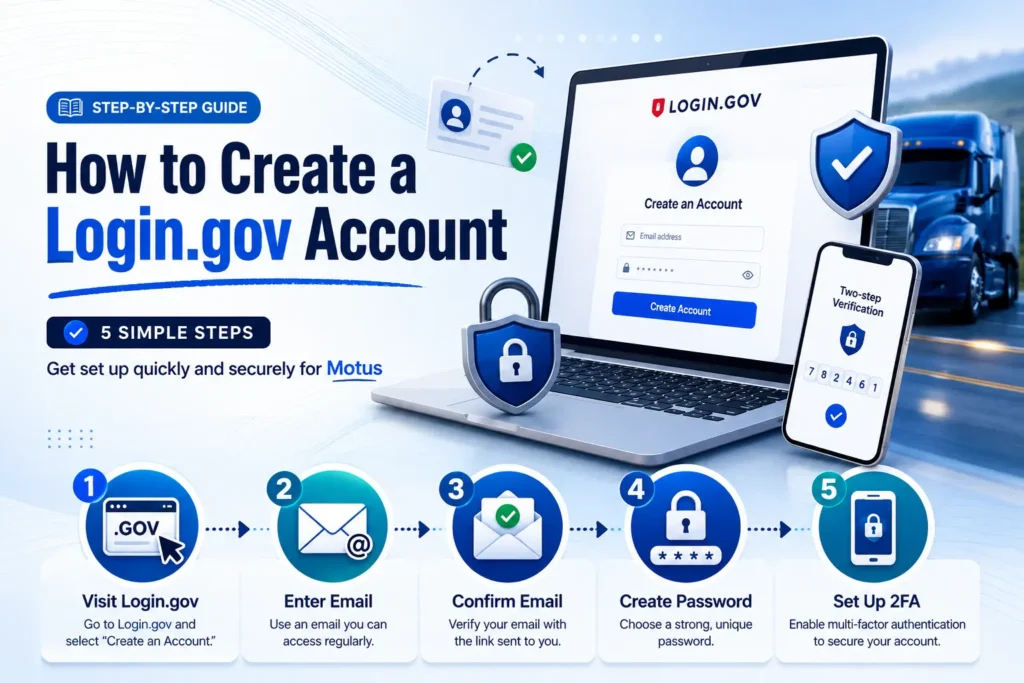
Creating a Login.gov account is relatively straightforward.
Step 1: Visit Login.gov
Navigate to the Login.gov website and select “Create an Account.”
Step 2: Enter Your Email Address
Use an email address you can access regularly, as FMCSA notifications and verification requests may be sent there.
Step 3: Confirm Your Email
Login.gov will send a confirmation email containing a verification link.
Step 4: Create a Strong Password
Choose a unique password that meets Login.gov security requirements.
Step 5: Configure Authentication Methods
You will be prompted to set up multi-factor authentication before accessing your account.
Once completed, your Login.gov account is ready for use with Motus.
Understanding Multi-Factor Authentication (MFA)
Multi-factor authentication adds an additional layer of security beyond your password.
Even if someone obtains your password, they cannot access your account without the second authentication factor.
Common authentication methods include:
Authentication App
Many users choose authenticator applications because they provide strong security and quick access.
Text Message Verification
A verification code is sent to your mobile phone during login.
Phone Call Verification
Users can receive a voice call containing their verification code.
Security Key
Hardware security keys provide one of the strongest authentication options available.
FMCSA strongly encourages users to maintain updated authentication methods to prevent account access issues.
How to Access Motus Using Login.gov
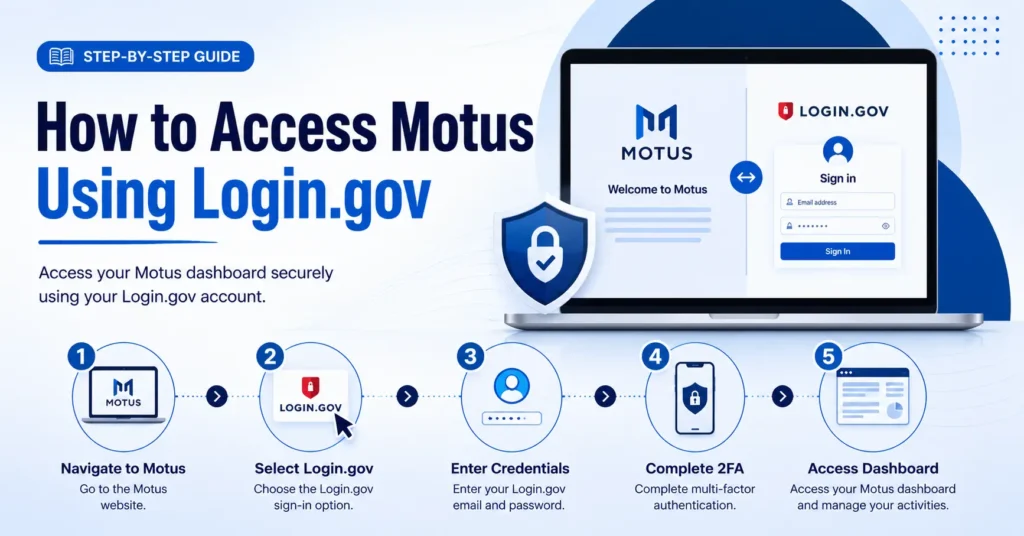
After creating your Login.gov account:
- Navigate to Motus.
- Select the Login.gov sign-in option.
- Enter your Login.gov credentials.
- Complete multi-factor authentication.
- Access your Motus dashboard.
Once logged in, you can manage registration-related activities, applications, filings, and account information.
Linking Existing FMCSA Accounts to Motus
Many carriers already have existing FMCSA accounts or registration records.
During the Motus transition, users may need to connect existing registration information to their new Motus account.
This process typically involves:
- Identity verification
- Business information confirmation
- Registration record validation
- Authorized account holder verification
Organizations with multiple registrations should carefully review account information before linking records.
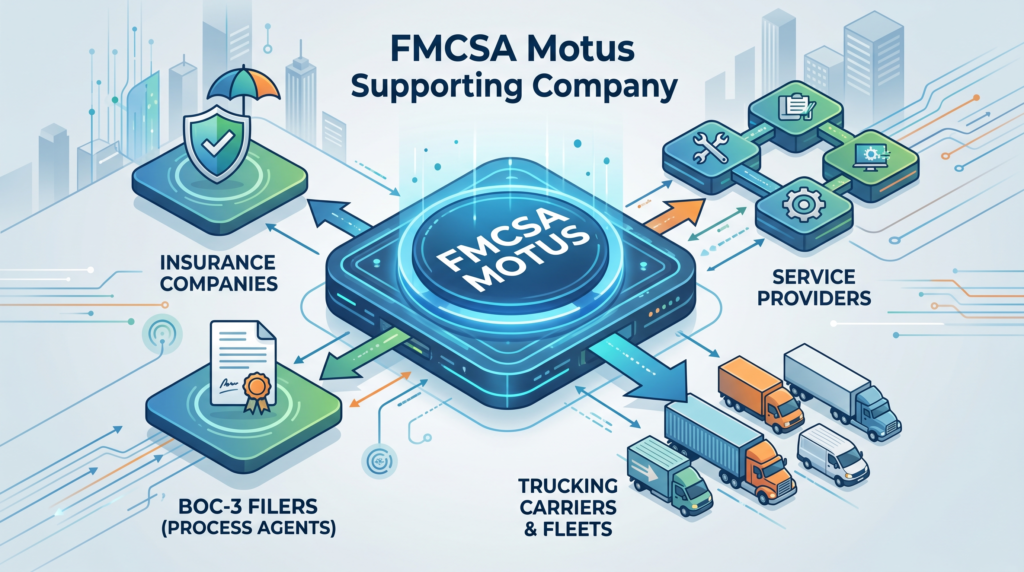
Companies that provide registration services may also benefit from understanding how Supporting Companies in Motus operate.
Common Login Problems in Motus
As more users transition to Motus, certain login issues are becoming increasingly common.
Forgotten Passwords
Many login problems stem from outdated or forgotten passwords.
Lost Authentication Device
If your mobile device is lost or replaced, authentication settings may need to be updated.
Email Address Changes
Using an inaccessible email address can complicate account recovery.
Identity Verification Issues
Inconsistencies between submitted information and official records may delay account verification.
Browser Compatibility Problems
Some login issues may be resolved by:
- Clearing browser cache
- Updating browsers
- Trying a different browser
- Disabling conflicting extensions
How to Recover Access to Your Login.gov Account
Account recovery is available for users who lose access to authentication methods or forget credentials.
To recover access:
Verify Your Email
Start by confirming access to your registered email address.
Reset Your Password
Login.gov provides password recovery options through email verification.
Restore Authentication Methods
Users may need to configure new authentication methods if devices have changed.
Complete Additional Verification
In some cases, Login.gov may require additional identity verification before restoring access.
Recovering access promptly is important because registration updates, filing submissions, and compliance activities may depend on timely account access.
Best Practices for Managing Your Login.gov Account
To reduce future problems:
Use a Business Email Address
Avoid using personal email addresses that may change over time.
Keep Contact Information Updated
Ensure all contact information remains current.
Save Backup Authentication Methods
Maintaining backup authentication options can prevent lockouts.
Use Secure Password Management
Store credentials securely and avoid password reuse.
Monitor Account Activity
Review account access periodically to identify unauthorized activity.
How Login.gov Impacts BOC-3 Filers and Supporting Companies
Login.gov is not limited to motor carriers.
Organizations such as:
- Insurance companies
- Blanket companies
- BOC-3 filers
- Transportation service providers
must also use Login.gov to access Motus and manage filings.
If your organization handles process agent services or BOC-3 filings, you should also review our guide on BOC-3 Filing Changes. Understanding these requirements early can help avoid filing disruptions and registration delays.
Conclusion
Login.gov is now a critical part of FMCSA’s Motus ecosystem. By creating a secure authentication framework, FMCSA aims to reduce fraud, improve identity verification, and protect registration records across the transportation industry.
Whether you’re a motor carrier, freight broker, freight forwarder, BOC-3 filer, or supporting company, setting up and maintaining your Login.gov account properly is essential for accessing Motus and managing compliance activities moving forward.
Preparing now can help ensure a smooth transition as FMCSA continues expanding the Motus platform throughout 2026 and beyond.
Key Takeaways
- Login.gov is required to access FMCSA Motus.
- Multi-factor authentication helps protect registration accounts.
- Identity verification is a key component of Motus security.
- Existing FMCSA records may need to be linked to new Motus accounts.
- Account recovery options are available if login issues occur.
- Supporting companies and BOC-3 filers must also use Login.gov.
- Proper account management can prevent registration delays and compliance issues.
FAQs
Login.gov is a secure government authentication platform used to verify identities and protect access to FMCSA systems, including Motus.
Yes. FMCSA requires all Motus users to authenticate through Login.gov before accessing registration services.
You can use backup authentication methods or follow Login.gov’s account recovery process to restore access.
Yes. Login.gov allows users to access multiple eligible accounts and services through a single secure login.
Yes. Multi-factor authentication is mandatory and helps protect your account from unauthorized access.
Yes. Supporting companies, insurance providers, blanket companies, and BOC-3 filers must use Login.gov to access Motus.
SafeRoad Compliance assists with Motus registration, FMCSA account setup, compliance guidance, operating authority applications, and registration support.
Need Help Setting Up Motus or Managing FMCSA Compliance?
As a trusted DOT Compliance Company, SafeRoad Compliance helps carriers, brokers, and transportation businesses navigate FMCSA registration requirements, Motus transitions, operating authority filings, BOC-3 filings, and compliance obligations.
Ready to speak with a compliance specialist?